自然言語の英文プロンプトをわかりやすく管理する - iPentec Prompt Editor の使い方
質問: 英文プロンプトが理解不能です
最近はKrea2やMiniMax H3などで、英文の自然言語のプロンプトが増えてきています。以下のプロンプトができたのですが、正直何がどこで表現されているのか、
修正する場合にどこを修正すればよいのかさっぱりわからないです。何とかならないですかね?
英文の自然言語プロンプトをわかりやすく管理する方法を検討します。
ぐあもんさんから送られてきたプロンプトが以下です。
プロンプト
An awe-inspiring cinematic anime illustration inside a colossal Gothic cathedral, where monumental shafts of sunlight descend from towering stained-glass windows into the deep darkness below. The cathedral and the incoming light dominate the first impression: an immense sacred space, impossibly high ribbed vaults, gigantic clustered stone columns, and successive pointed arches receding into a distant, luminous apse. The upper architecture disappears into atmospheric shadow, making the sunlit interior feel overwhelming in scale and solemn beauty.
Several enormous, clearly defined beams of golden-white sunlight enter through the high clerestory windows on the upper left, cutting diagonally across the entire composition toward the lower right. Their paths remain visibly suspended in the air, revealed by fine incense haze and countless illuminated dust particles. The shafts pass in front of distant columns and behind the central figure, creating distinct layers of light and depth. Broad pools of radiant sunlight stretch across the marble floor and the cathedral steps. Between the beams, the interior remains in deep, cool blue shadow, giving the light extraordinary intensity. A vast rose window glows high in the background, its intricate tracery silhouetted against the daylight. Subtle ruby, sapphire, and amber reflections spill across the stone, while the principal sunlight remains brilliant warm white.
At the intersection of these descending beams stands a beautiful young woman in a spectacular ivory and champagne gown. Her full figure occupies roughly the lower central third of the image, surrounded by a tremendous expanse of soaring architecture. Her long silver-blonde hair catches a luminous golden rim, with individual strands glowing against the shadowed cathedral. Her lovely face is tilted slightly toward the light, sapphire eyes shimmering with tears, lips forming a small, trembling smile. One hand rests over her heart, while the other reaches gently toward someone just beyond the frame. Her expression conveys the overwhelming relief and joy of a long-awaited reunion.
Her extraordinary gown has a sculpted, pearl-embroidered bodice, delicate translucent lace sleeves, and an enormous skirt of layered silk, organza, and luminous tulle. Intricate gold embroidery follows the sweeping folds. A magnificent train spreads across several broad marble steps and extends into the foreground, giving the composition a regal, ceremonial grandeur. Sunlight pours through the sheer outer layers, turning their edges translucent and revealing the deeper folds in soft, sculptural shadow. Tiny pearls and crystals catch isolated points of light.
View from near floor level in the central aisle, looking upward, wide vertical composition, strong symmetrical architectural framing, with the diagonal sunbeams cutting dramatically across it. Keep the entire figure and the sweeping train visible. Rows of candle flames appear small against the monumental columns, reinforcing the cathedral’s immense scale. Deep chiaroscuro, powerful volumetric sunlight, radiant highlights with preserved fabric detail, restrained bloom, rich atmospheric depth, exquisite anime character rendering, and painterly architectural realism. A hushed, majestic moment in which the entire cathedral seems filled with descending light, deeply emotional, reverent, and breathtaking.
iPentec Prompt Editor
英語のネイティブでない場合、英文を直感的に把握するのは難しいので、日本語の対訳を見ながら編集できる仕組みがあったほうが便利です。
iPentec Prompt Editor を利用すると分で区切られた内容を対訳で確認しながら編集できます。
注意
現在、テストパイロット版のため、予告なくワークスペースのリセットや初期化される可能性があることにご注意ください。
ワークスペースの作成
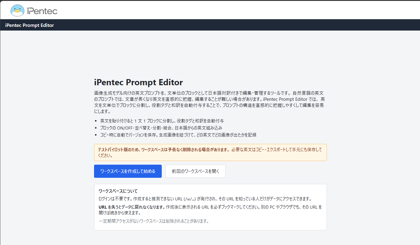
iPentec Prompt Editorのページを開きます。下図のページが非表示されます。
[ワークスペースを作成して始める]ボタンをクリックします。
ワークスペースが作成され、下図の画面が表示されます。
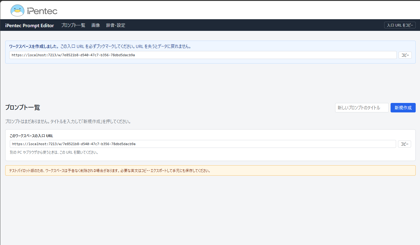
プロンプトの作成
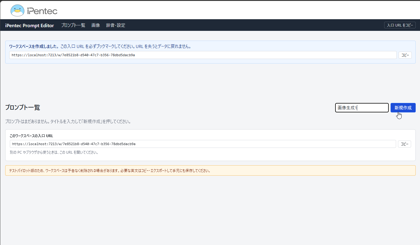
画面右側のテキストボックスにタイトル名を入力します。入力ができたら、右側の[新規作成]ボタンをクリックします。
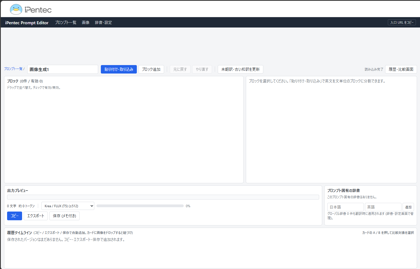
下図のプロンプト編集画面が表示されます。
プロンプトのインポート
今回は既に作成されている英文のプロンプトをインポートして利用します。
[貼り付け取り込み]ボタンをクリックします。
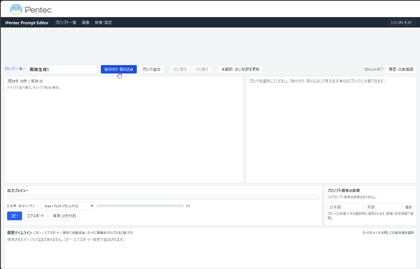
ダイアログウィンドウが表示されます。
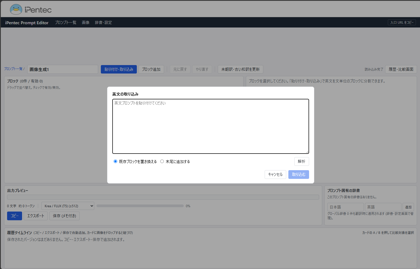
用意してある英文のプロンプト文をテキストボックスに入力します。
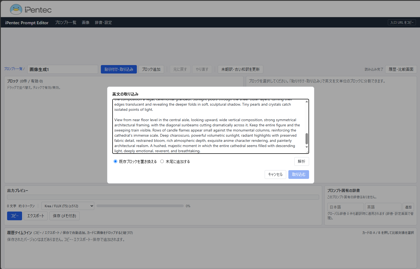
[解析]ボタンをクリックします。
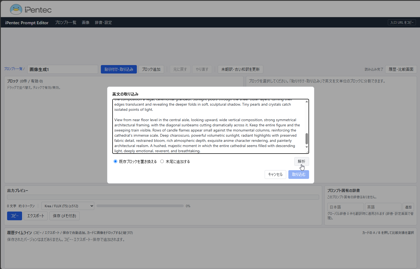
プロンプトの英文がブロックごとに分割されます。
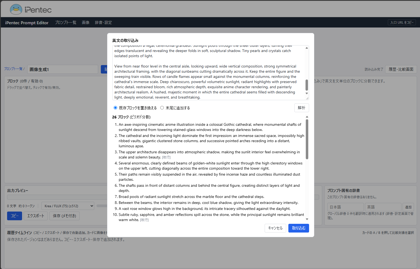
[取り込む]ボタンをクリックします。
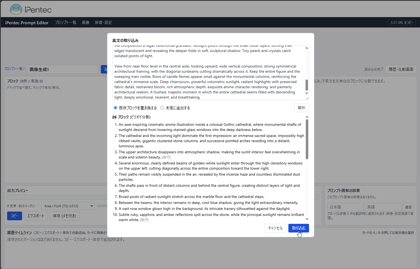
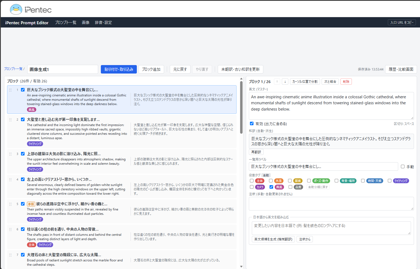
編集画面にプロンプトが入力できました。
左に英文、右に日本語訳が表示され、英文と日本語の対応がわかりやすく把握できます。
プロンプトの出力
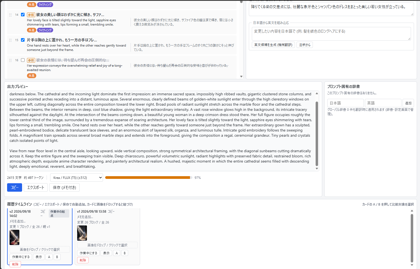
日本語の意味を確認できたら、プロンプトを出力します。画面下部の[出力プレビュー]のエリアにプロンプト全文が表示されます。
一番下のゲージ部分が赤色になっています。これはKrea2の最大トークン数512を超えているため、プロンプトが欠損する状況です。
フレーズを削って、トークンを512以下に下げます。
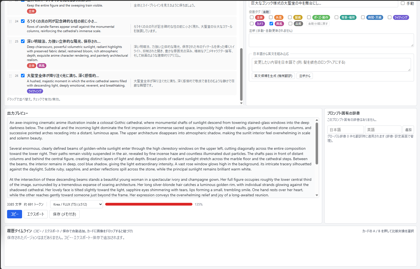
左側のエリアのチェックボックスをクリックして、チェックを外します。チェックを外したフレーズはプロンプトの出力から除外されます。
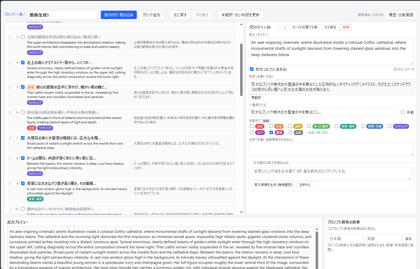
画面下部の[出力プレビュー]のエリアのプロンプト全文を確認します。
512トークン以下になりましたので、確認して[コピー]ボタンをクリックします。
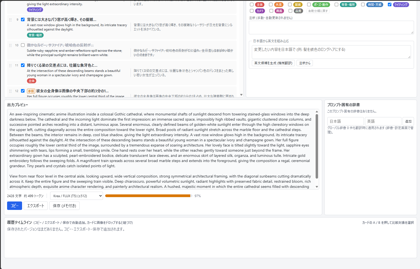
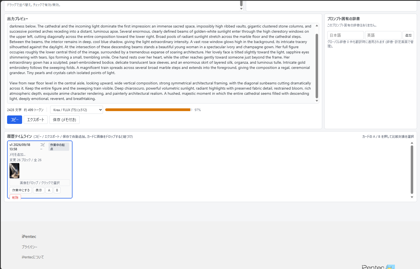
クリップボードにコピーされると同時に、一番下の[履歴タイムライン]の枠にパネルが追加されます。
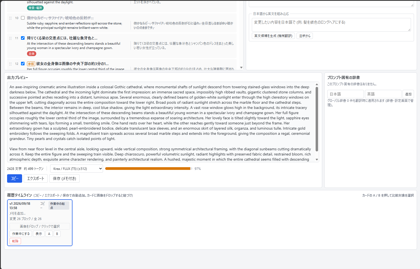
コピーしたプロンプトで画像を生成し、生成された画像を[履歴タイムライン]のパネルにドラッグ&ドロップすると、
この履歴に対応する結果の画像を設定できます。
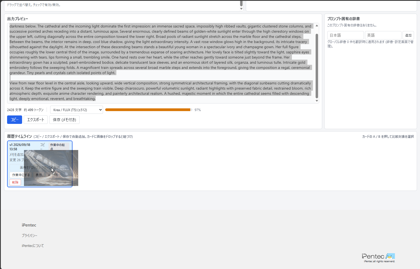
画像のサムネイルが設定できました。
プロンプトの編集
プロンプトを編集してみます。今回はドレスの色を白から赤に変えます。
まず、白ドレスがどこで表現されているか探します。日本語で確認できますので
「降りてくる梁の交差点には、壮麗な象牙色とシャンパン色のドレスをまとった美しい若い女性が立っている。」がドレスの色ですので
この項目をクリックして選択します。右側のエリアでプロンプトを編集します。
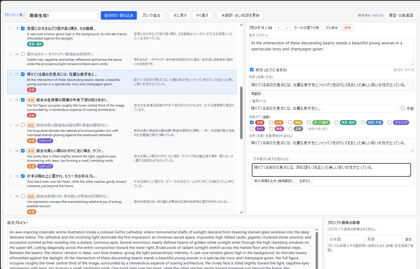
今回は日本語でプロンプトを入力します。[日本語から英文を組み込む]のエリアのテキストボックスに設定したい日本語を入力します。
「降りてくる梁の交差点には、深紅のドレスをまとった美しい若い女性が立っている。」を入力します。
入力ができたら[英文候補を生成]をクリックします。
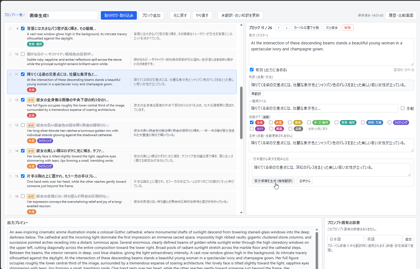
[機械翻訳]の欄に英語の文章が表示されます。
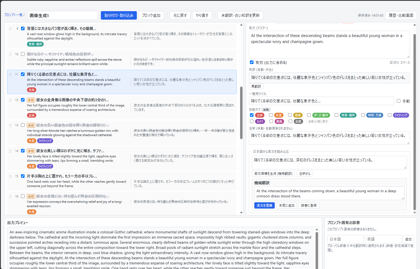
この英文でよければ、[英文を置換]ボタンをクリックします。
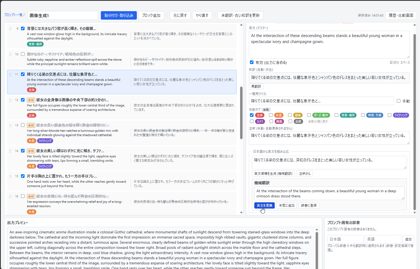
英文が置換され、"At the intersection of the beams coming down, a beautiful young woman in a deep crimson dress stood there." となりました。
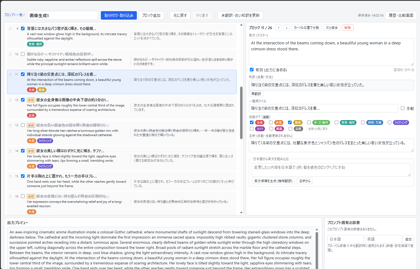
メモ
より良い英文表現を目指す場合は、LLMで英文を作成した結果を設定したほうが良いです。今回の表現をLLMで生成した場合、
"At the intersection of these descending beams stands a beautiful young woman in a spectacular deep crimson gown, glowing ruby-red in the sunlight with rich burgundy shadows in its folds."
という表現を推奨されました。
[コピー]ボタンをクリックして、変更後のプロンプトをコピーします。
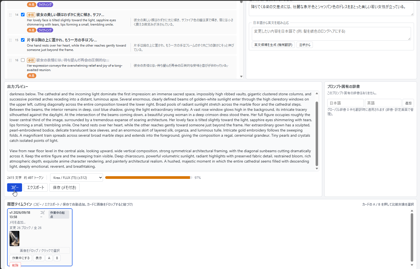
プロンプトをコピーすると、[履歴タイムライン]の枠にパネルが追加されます。
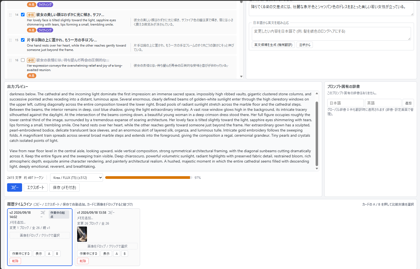
画像生成結果をドロップして、プロンプトに対応した画像を割り当てることもできます。
iPentec Prompt Editor を利用して、英語の自然言語プロンプトをわかりやすく編集、管理する方法を紹介しました。
著者
iPentecのプログラマー、最近はAIの積極的な活用にも取り組み中。
とっても恥ずかしがり。