Irodori TTSを試してみていい感じなので、サーバーでサウンド生成させて、サービス的に利用したいです。良い方法はありますか?


サーバーサイドで利用する場合には、Irodori OpenAI TTS Server を導入すると良いです。
この記事では、Irodori OpenAI TTS Server のインストール手順を紹介します。
Pythonをインストールします。手順はこちらの記事を参照してください。
Gitをインストールします。手順はこちらの記事を参照してください。
次のコマンドを実行します。
cd (Irodori OpenAI TTS Server の配置ディレクトリ)
git clone https://github.com/Aratako/Irodori-TTS-Server.git
cd Irodori-TTS-Server
uv sync --extra cu128
設定ファイルをリネームしてコピーします。
copy .env.example .env
インストールは以上で完了です。
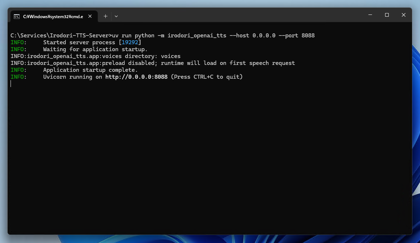
次のコマンドを実行します。
uv run python -m irodori_openai_tts --host 0.0.0.0 --port 8088
Webブラウザで以下のURLにアクセスします。
http://127.0.0.1:8088/health
サーバーが起動できている場合、以下のメッセージが表示されます。
{
  "status": "ok",
  "model": {
    "id": "irodori-tts",
    "hf_checkpoint": "Aratako/Irodori-TTS-500M-v3",
    "model_device": "auto",
    "codec_device": "auto",
    "model_precision": "fp32",
    "codec_precision": "fp32",
    "compile_model": false,
    "compile_dynamic": false
  },
  "runtime": {
    "preload": false,
    "loaded": false,
    "loading": false,
    "checkpoint": null,
    "load_timeout": 300.0,
    "max_concurrent_synthesis": 1,
    "synthesis_wait_timeout": 300.0
  },
  "voices": {
    "dir": "voices",
    "dir_exists": true,
    "files": 0
  },
  "defaults": {
    "response_format": "wav",
    "chunking_enabled": true,
    "chunk_min_chars": 80,
    "first_sentence_chunk_min_chars": null
  }
}
参照元のボイスを配置します。
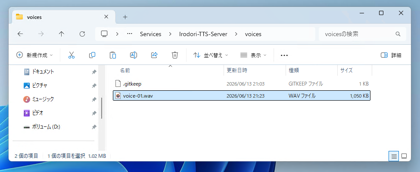
以下のディレクトリ内に参照元のサウンドファイルを配置します。
(Irodori-TTS-Server の配置ディレクトリ)\voices
今回は、voive-01.wav ファイルを配置しました。
以下のPythonプログラムでサウンドファイルが取得できるかテストします。
from openai import OpenAI

client = OpenAI(
    base_url="http://192.168.64.202:8088/v1",
    api_key="not-used",
)

with client.audio.speech.with_streaming_response.create(
    model="irodori-tts",
    voice="voice-01",
    input="こんにちは。これは音声合成のAPIテストです。",
    response_format="wav",
) as response:
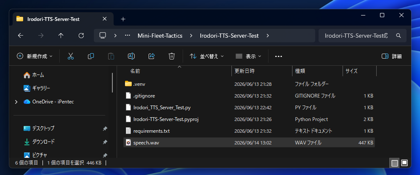
    response.stream_to_file("speech.wav")
実行して成功すると、スクリプトファイルの位置にspeech.wavファイルが作成され、音声合成されたボイスが取得できます。