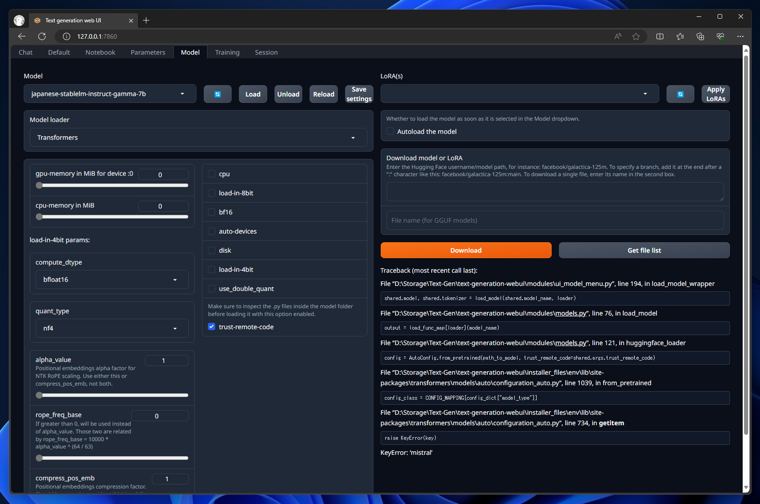
Traceback (most recent call last):

File “(Text-Generation-WebUIの配置パス)\text-generation-webui\modules\ui_model_menu.py”, line 194, in load_model_wrapper

shared.model, shared.tokenizer = load_model(shared.model_name, loader)
File “(Text-Generation-WebUIの配置パス)\text-generation-webui\modules\models.py”, line 76, in load_model

output = load_func_map[loader](model_name)
File “(Text-Generation-WebUIの配置パス)\text-generation-webui\modules\models.py”, line 121, in huggingface_loader

config = AutoConfig.from_pretrained(path_to_model, trust_remote_code=shared.args.trust_remote_code)
File “(Text-Generation-WebUIの配置パス)\text-generation-webui\installer_files\env\lib\site-packages\transformers\models\auto\configuration_auto.py”, line 1039, in from_pretrained

config_class = CONFIG_MAPPING[config_dict["model_type"]]
File “(Text-Generation-WebUIの配置パス)\text-generation-webui\installer_files\env\lib\site-packages\transformers\models\auto\configuration_auto.py”, line 734, in getitem

raise KeyError(key)
KeyError: ‘mistral’