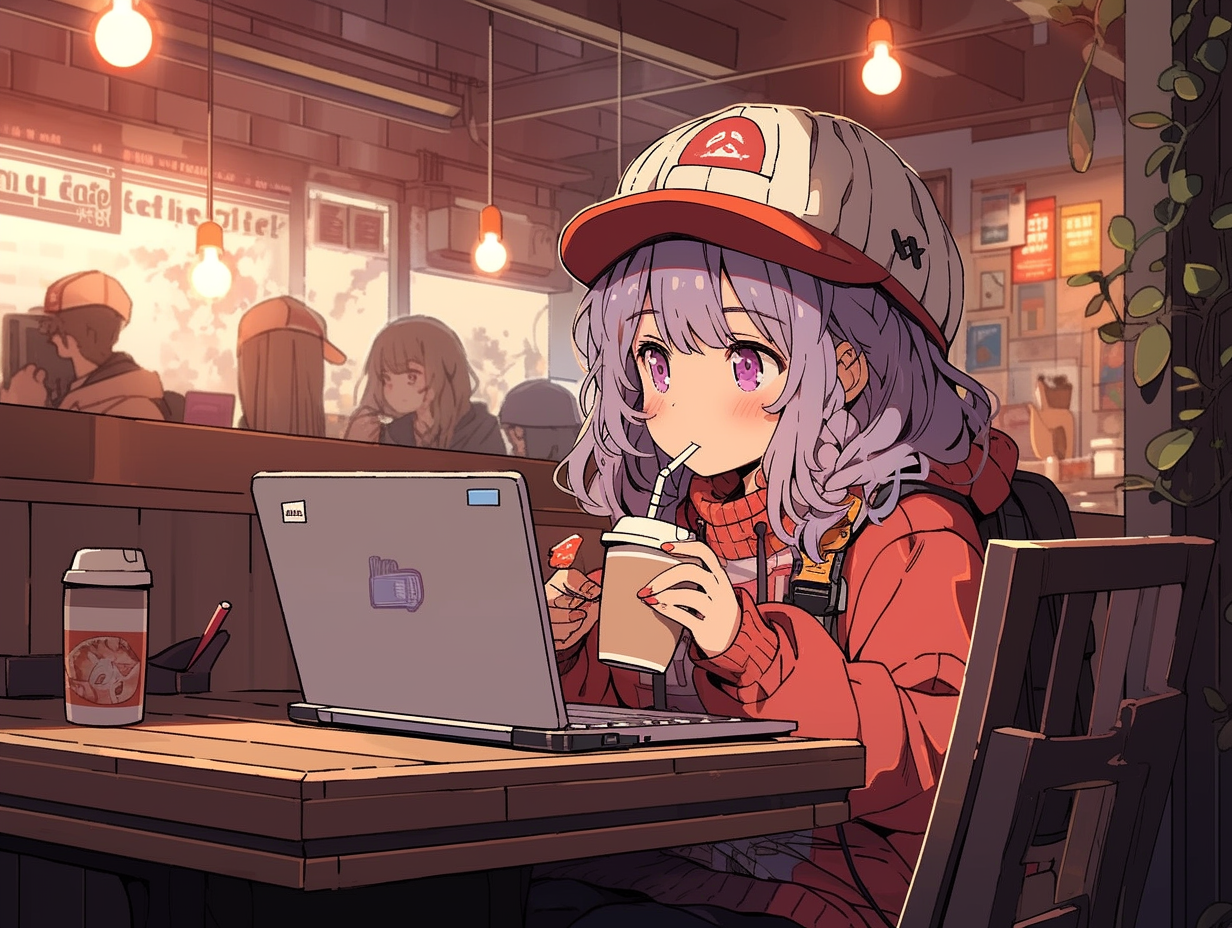
Ming Imageという画像生成モデルが登場したと聞いた。どのようにインストールするのだろうか?
また、これまでの画像モデルと違いはあるのだろうか?
(ComfyUIの配置ディレクトリ)\models\diffusion_models ですが、
他のモデルと混同しないよう ming-image でディレクトリ分けしています。
Ming Imageの導入手順を紹介します。
ComfyUIをインストールします。最新版である必要があります。
インストール手順はこちらの記事のPortable版のインストールを参照してください
Ming Image をインストールする手順を紹介します。
以下の HuggingFaceのHubから、Ming Imageのモデル ming_image_0.1_design_int8_convrot.safetensors ming_image_0.1_design_layer_int8_convrot.safetensors をダウンロードします。
今回は int8 convrot モデルを利用します。
ダウンロードしたモデルを次のディレクトリに配置します。
(ComfyUIの配置ディレクトリ)\models\diffusion_models\ming-image\
(ComfyUIの配置ディレクトリ)\models\diffusion_models ですが、
他のモデルと混同しないよう ming-image でディレクトリ分けしています。以下の HuggingFaceのHubから、Ming Imageのテキストエンコーダー ming_image_0.1_ling_mini_2.0_int8_convrot.safetensors ming_image_0.1_ling_mini_2.0_layer_int8_convrot.safetensors をダウンロードします。
今回は int8 convrot モデルを利用します。
ダウンロードしたモデルを次のディレクトリに配置します。
(ComfyUIの配置ディレクトリ)\models\text_encoders\ming-image\
以下の HuggingFaceのHubから、Ming ImageのVAE ming_image_vae_bf16.safetensors をダウンロードします。
ダウンロードしたモデルを次のディレクトリに配置します。
(ComfyUIの配置ディレクトリ)\models\vae\ming-image\
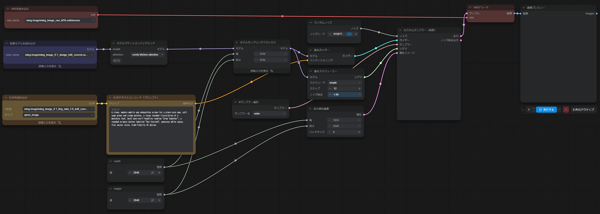
今回は以下のワークフローを利用しています。
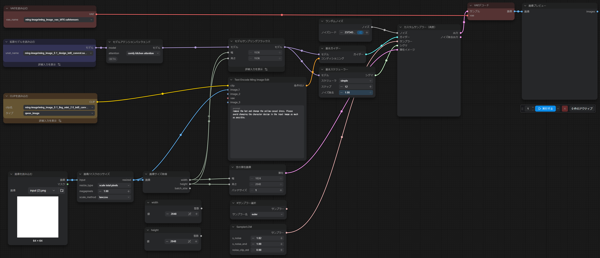
今回は以下のワークフローを利用しています。
ファーストインプレッションでの所感です。
Image Editで参照入力した画像のデザインが結果に反映されないケースが多いです。
画像生成速度は速いです。
日本語の表現はちょっと厳しい印象です。
ピクセル数の多い、高解像度の画像でも比較的崩れにくい印象です。
Create a polished fantasy recruitment poster for a fictional guild receptionist position.

Design a visually appealing Japanese poster with a clear, professional layout. The poster should look like an official recruitment notice from a fantasy adventurer's guild, while still being attractive and easy to read.

Main concept:
A fantasy guild is recruiting a receptionist. The poster should combine a welcoming atmosphere with a slightly adventurous fantasy tone.

Visual style:
- anime-style fantasy illustration
- clean poster design
- decorative but readable layout
- warm and inviting mood
- high-quality Japanese poster composition
- elegant fantasy ornamentation
- parchment-like textures mixed with clean modern layout
- subtle fantasy motifs such as a guild emblem, magic motifs, medieval decorative borders, or quest-board styling

Character:
Include one attractive guild receptionist woman as the main visual.
She should appear friendly, reliable, and approachable.
She wears a neat fantasy guild receptionist outfit, modest and professional, with fantasy elements such as a vest, ribbon, blouse, light armor accents, guild badge, or fantasy-style accessories.
She may be standing behind a reception counter or posed in a welcoming manner.
Expression: gentle smile, welcoming, confident, trustworthy.

Composition:
- vertical poster layout
- strong headline area at the top
- main character prominently placed near the center or slightly to one side
- several well-organized text areas
- decorative guild emblem near the top
- supporting decorative elements such as scrollwork, seals, or framed information boxes
- leave enough clean space for Japanese text
- the poster should feel complete and believable as an in-world recruitment poster

Color palette:
- warm beige, cream, brown, gold, muted red, deep green, or navy accents
- fantasy guild atmosphere
- good contrast for readability

Text handling:
Render all visible text in Japanese.
Use the following exact placeholder texts as layout content.

Top main headline:
「冒険者ギルド 受付嬢募集」

Catch copy area:
「冒険者たちの「おかえりなさい」を、あなたの笑顔で。」

Job description section title:
「仕事内容」

Job description body:
「依頼の受付・掲示板への貼り出し
冒険者登録・ランク認定の手続き
討伐報酬の査定・支払い
魔物素材の買取窓口業務
酒場併設のため、喧嘩の仲裁(軽度)」

Requirements section title:
「応募資格」

Requirements body:
「読み書き・計算ができる方(共通語必須、エルフ語・ドワーフ語歓迎)
笑顔と度胸のある方
種族・年齢不問、未経験者歓迎」

Benefits section title:
「待遇」

Benefits body:
「月給 金貨12枚〜(経験・魔力量により優遇)
制服貸与(防御魔法付与済み)
まかない付き(酒場メニューより)
年2回の賞与(大型討伐成功時は特別手当)
住み込み可・寮完備」

Application flow section title:
「応募方法」

Application flow body:
「面接会場: ギルド本部 2階 応接室
持ち物: 身分証明書、または冒険者カード
締切: 収穫祭の月 末日まで」

「ご応募、お待ちしております。 ―― 冒険者ギルド アルヴェリア本部 ギルドマスター」

Important constraints:
- do not replace the placeholder texts with other wording
- keep the Japanese placeholder texts clearly readable
- prioritize poster design, readability, and strong information hierarchy
- make it look like a fantasy guild recruitment poster, not a modern corporate flyer
- no nonsense text blocks
- avoid overcrowding
- the poster should be stylish, readable, and visually balanced
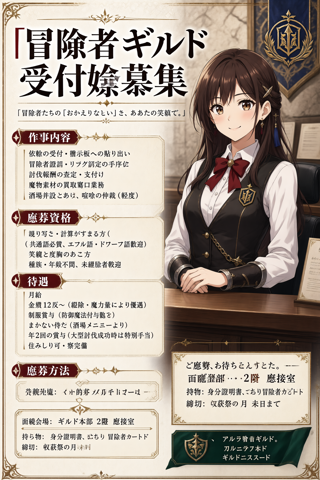
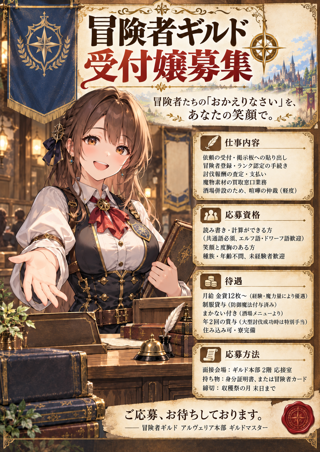
画像生成結果は下図です。日本語部分はうまく表現できません。全体のレイアウトはいい感じにできている印象です。
同じプロンプトでGPT Image 2.5の結果が下図です。日本語の文字は正しく表現できているのですが、
ポスターとして評価した場合、好みもありますが、GPT Image は画面が混雑してちょっと見にくい印象があり、レイアウト面では Ming Image のほうがわかりやすい印象です。